Get your Shopify products on Google Shopping — in real time
Feeden syncs your catalog to Google Merchant Center the moment it changes, and turns every Google error into a clear fix. Free, with unlimited products and feeds.
- Built on Google Merchant API
- Unlimited products & feeds
- No credit card
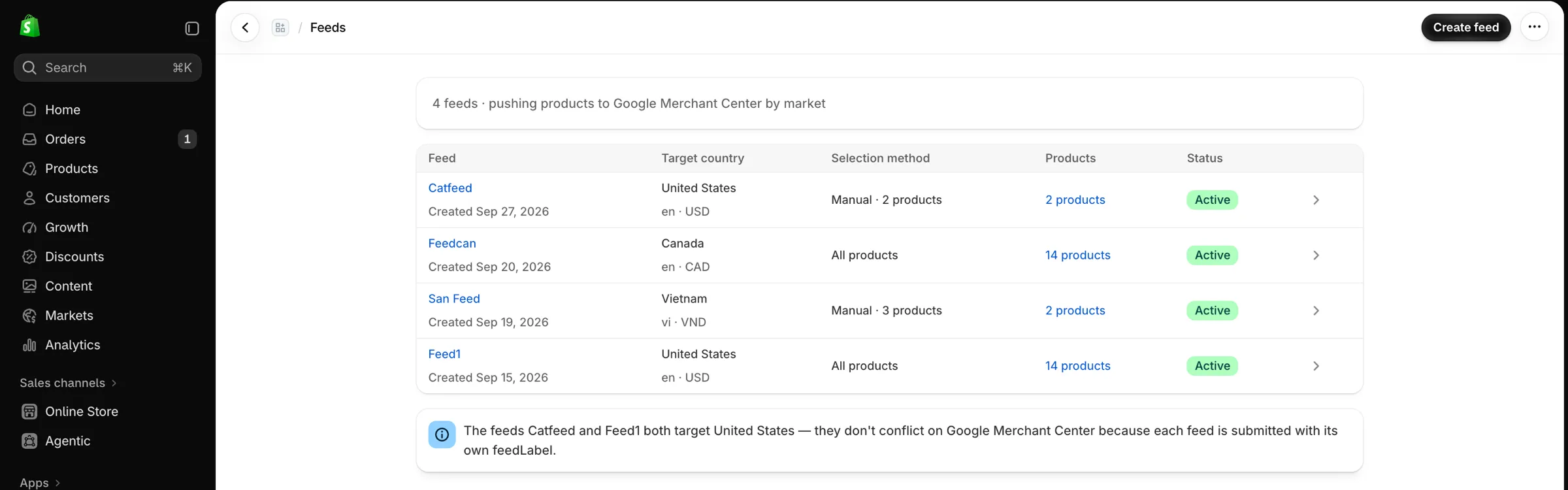
Static feeds fall behind your store
Most feed apps rebuild a file on a schedule. Between runs, Google shows old prices and stock — and you only find out about errors when you check Merchant Center yourself.
A typical scheduled feed
- Regenerated every 6–24 hours
- Sale prices and stock lag behind your site
- Mismatches lead to disapproved products
- Errors are raw Google messages, found by hand
Feeden
- Every change pushed as soon as Shopify reports it
- Approval status pulled back into the app
- Disapproved products held back until fixed
- Each error comes with the fix to make
Everything you need to sell on Google, in one app
Price and stock changes reach Google in minutes, not hours
Feeden listens to Shopify webhooks and pushes each change through Google's Merchant API right away.
- Approval status checked and shown in the app
- Daily reconciliation catches anything a webhook missed
- Static XML feed as a fallback if the API is unavailable
- "Continue selling when out of stock" sent as backorder
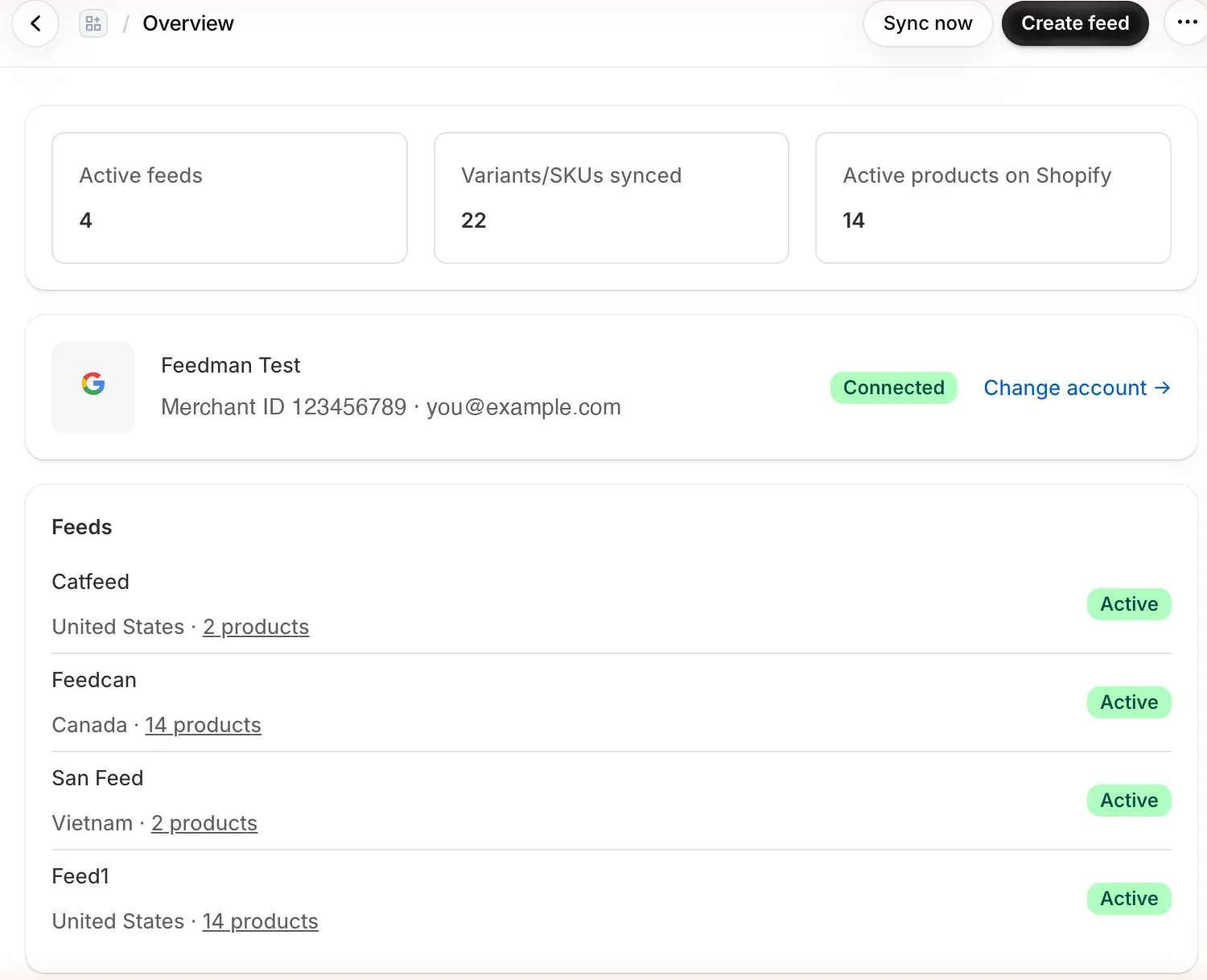
Smart defaults, rules when you need them
Your feed works out of the box. Change any Google attribute without code when your catalog needs something different.
- Pick a source: Shopify field, metafield, fixed value or a combination
- Rules by tag, collection, product type or vendor — for all feeds or one
- Map your Size and Color options to Google's variant attributes
- Optional checkout links that send shoppers straight to the cart
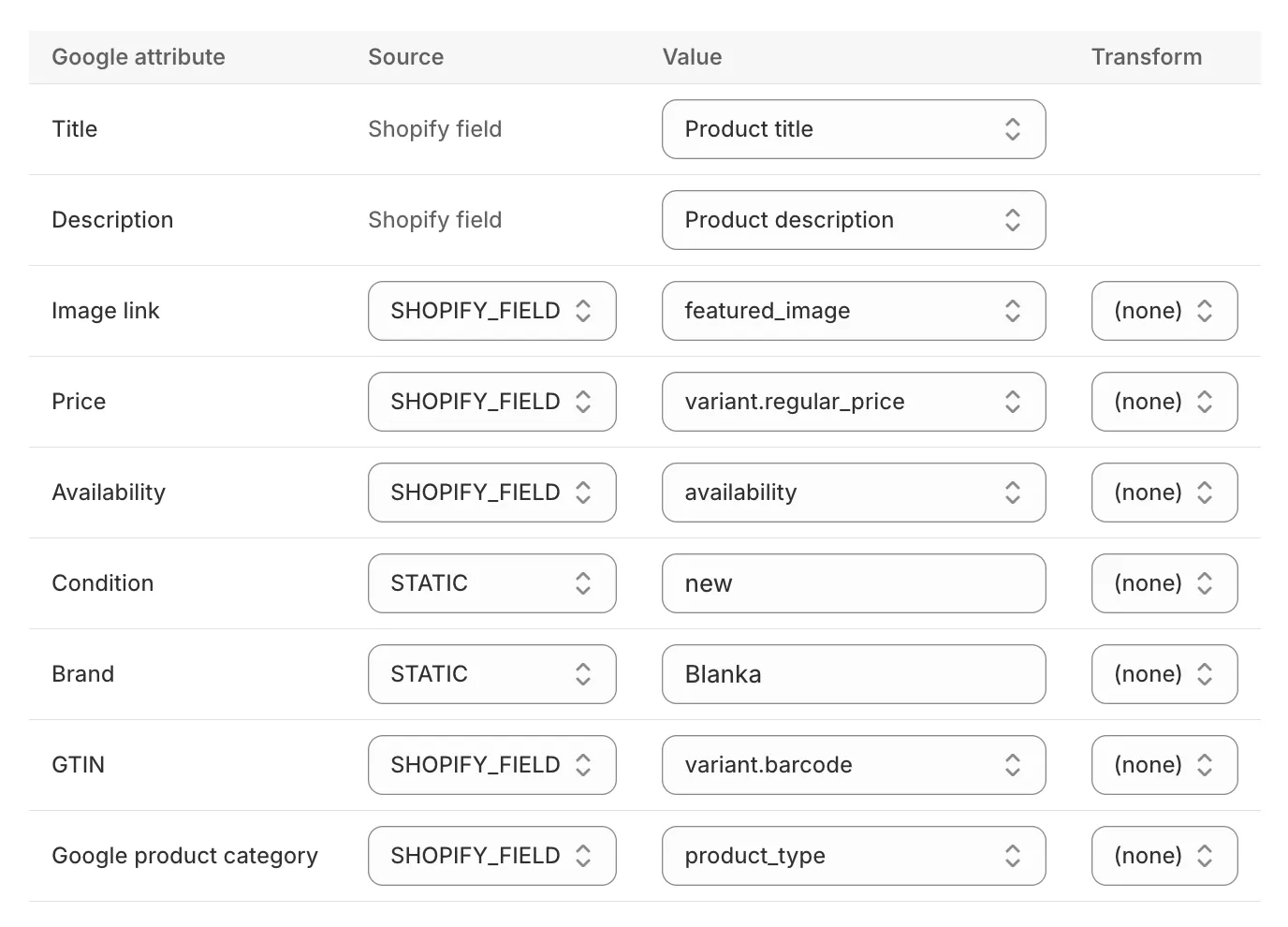
Every Google error, translated into a fix
See which products have problems, in which country, and exactly what to change — without opening Merchant Center.
- Issues per product and per target country
- Bulk edit a value across many products at once
- Bulk resync after you fix the source
- Disapproved products paused until they're fixed
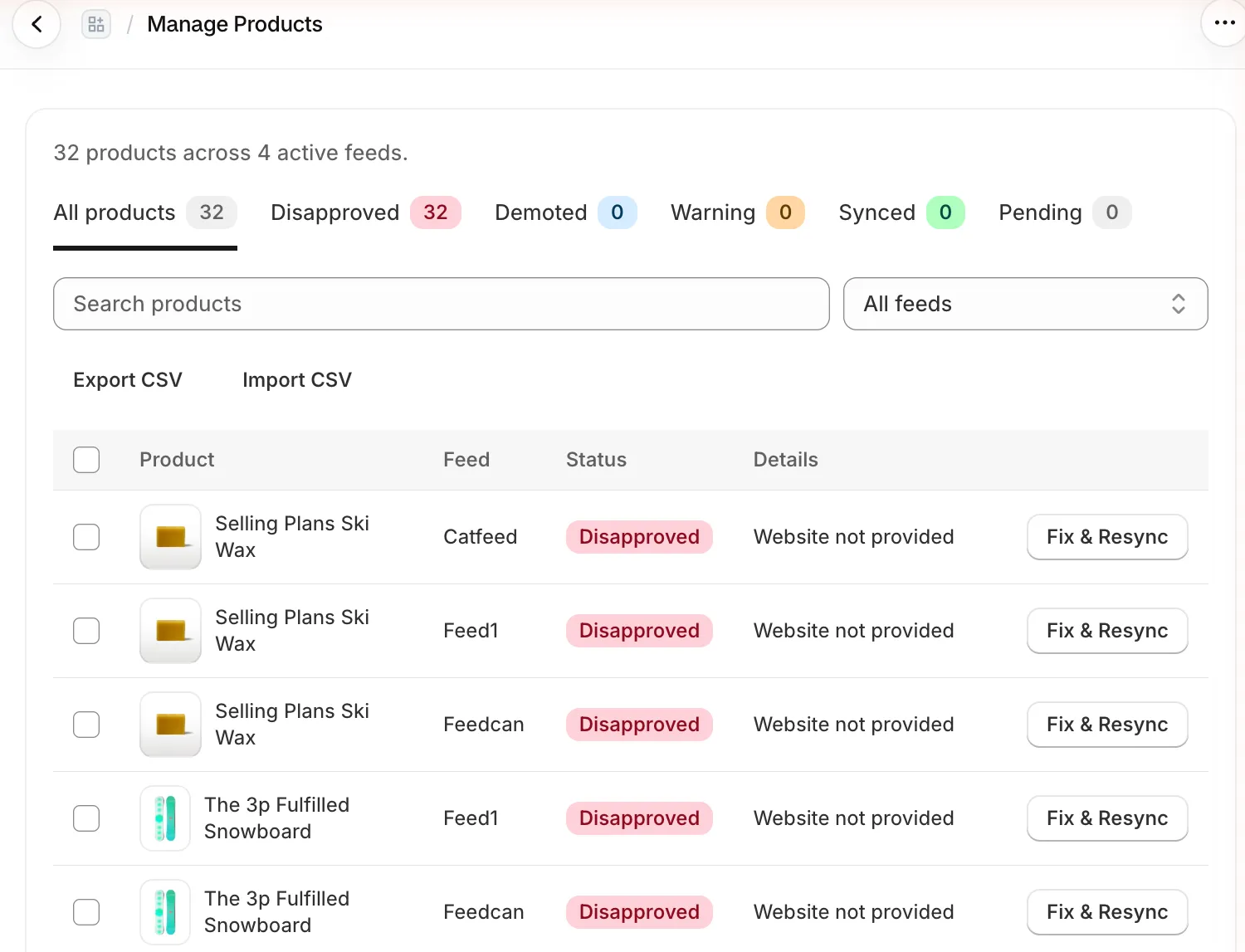
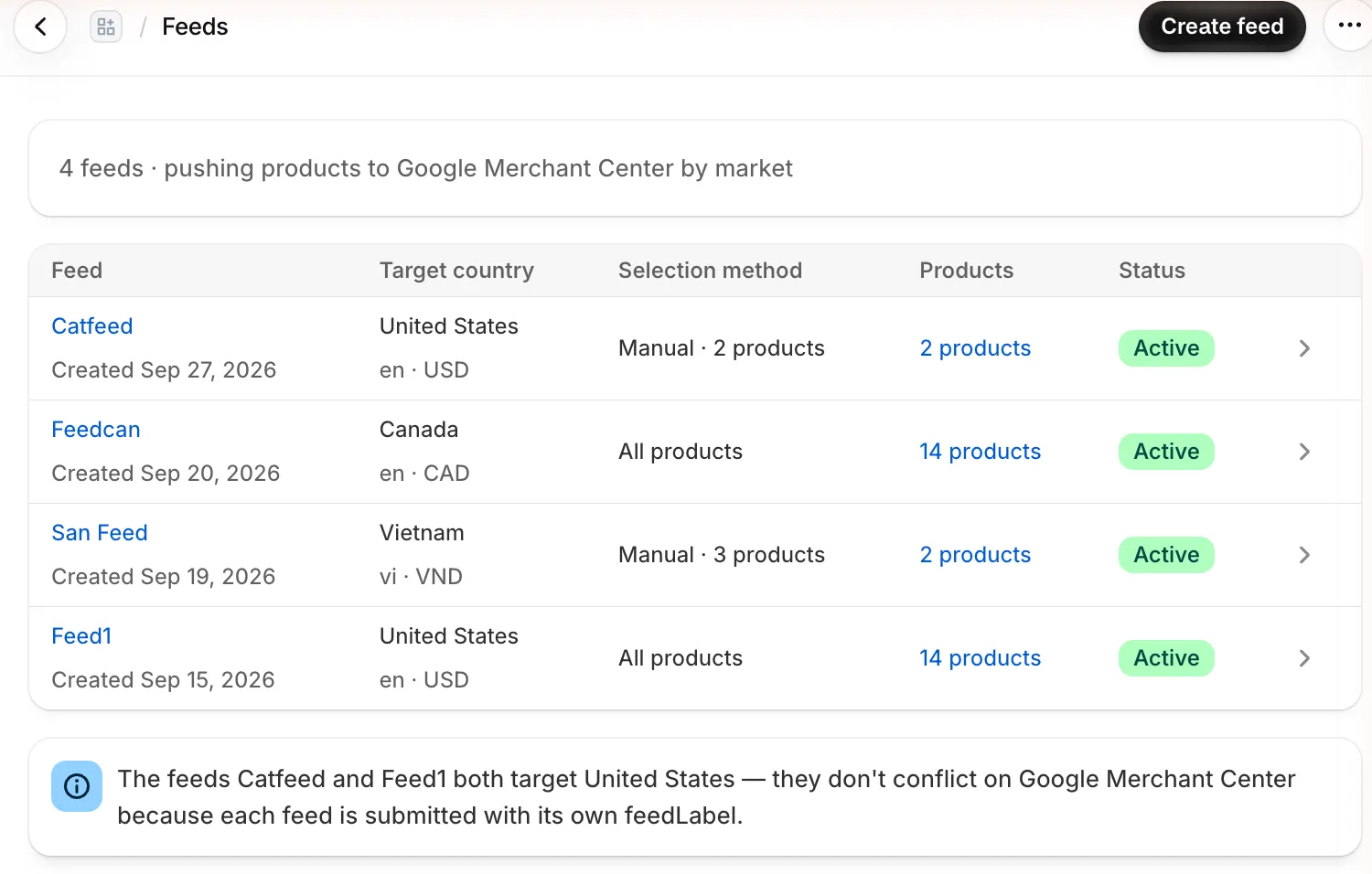
One feed per market, as many as you need
Create a feed for each country you sell to, and choose exactly which products go into it.
- Target countries from your Shopify Markets
- All products, by collection, by category or hand-picked
- Choose Shopping ads, Free listings, or both — per feed
- No limit on the number of feeds
Know which Google clicks turn into sales
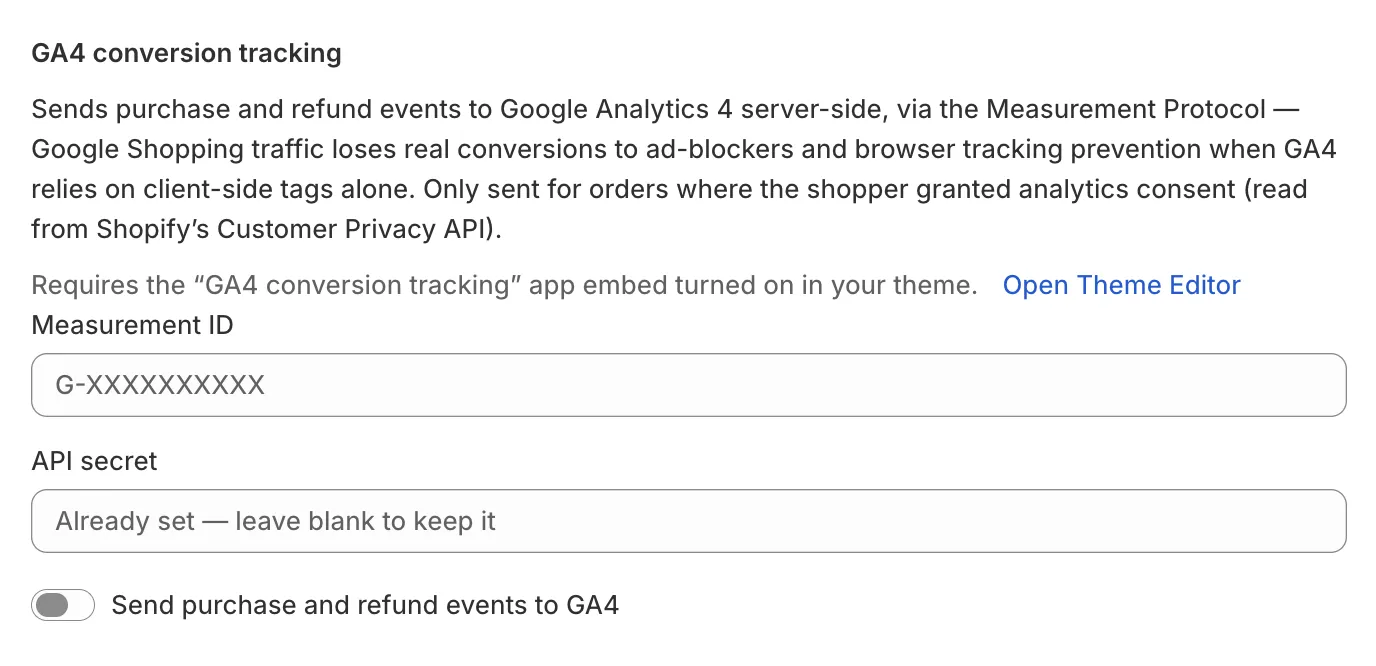
Feeden sends purchase and refund events to Google Analytics 4 from the server, so ad blockers don't hide your conversions.
- Server-side via GA4 Measurement Protocol
- Respects shopper consent (Consent Mode v2)
- Set up with a Measurement ID and API secret
Live on Google in four steps
- 1
Install the app
Add Feeden from the Shopify App Store. It copies your products and variants in the background.
- 2
Connect Merchant Center
Sign in with Google and pick the account your site is verified on.
- 3
Create your first feed
Choose a country and the products to include. Smart defaults handle the rest.
- 4
Fix what Google flags
Feed Health lists each issue with the exact change to make.
Built so your feed never breaks
Keep your approval history
Moving from another app? Match your existing product IDs — Variant ID, SKU or Global — so Google doesn't treat your catalog as new.
One bad product won't sink the feed
Products missing required data are held back and listed in Feed Health, while the rest keep selling.
A fallback feed, always ready
If Google's API is down or out of quota, a static XML feed keeps your listings up to date on schedule.
Free. Every feature, no limits.
Real-time sync, unlimited products and feeds, Feed Health and GA4 tracking are all included during V1.0. No credit card needed.
Frequently asked questions
Do I need a Google Merchant Center account?
Yes. You connect it by signing in with Google, and your store's website must be verified and claimed in Merchant Center. Feeden reminds you to set up shipping there if it's missing.
How quickly do changes reach Google?
Changes are pushed as soon as Shopify notifies Feeden. Google's own review can then take from a few minutes to a few hours.
I use another feed app. Will I lose my history?
Not if you pick the same product ID format your current feed uses before the first sync.
Can I sell in several countries?
Yes. Create one feed per country, each with its own products and destinations.
Is Feeden really free?
Yes — every feature is free with no product or feed limits during V1.0.
Does it support Meta or TikTok?
Not yet. Feeden focuses on Google Shopping and Free listings for now.